Library
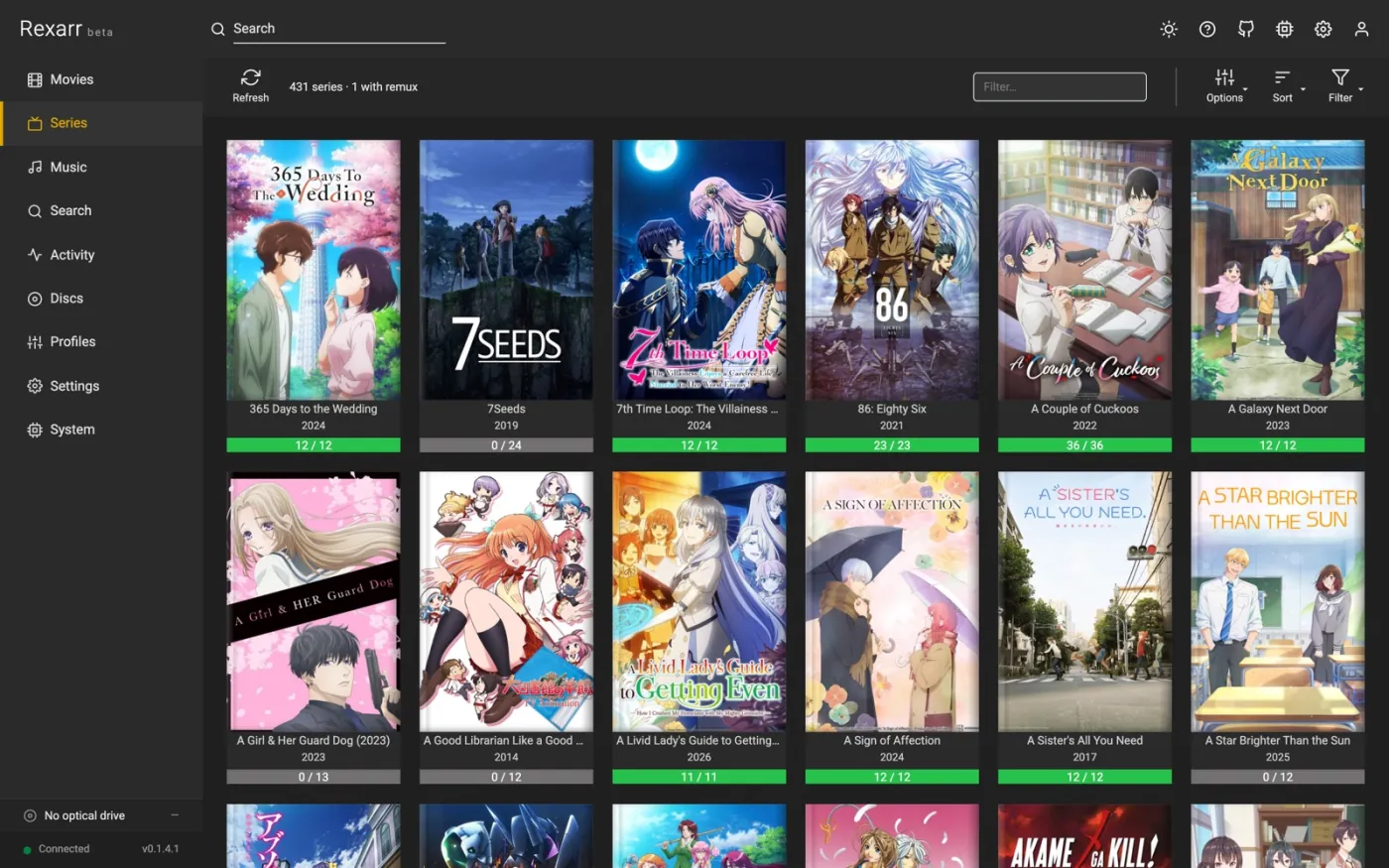
Movies and Series mirror what Radarr and Sonarr have, with what is actually on disk: file quality, size, video and audio codecs, and how many episodes of a season are present.
- Posters or Table view, Sort (title, year, size, added, and romaji title when AniDB is on) and Filter — including Blu-ray remux on disk for movies and Episodes on disk for series, plus an Anime filter.
- Select turns on multi-select: tick posters (or Select all) and transcode everything selected with one profile. On a series page you can transcode a whole season the same way.
- Refresh re-reads the library from the *arr app.
- A title's page shows the backdrop header, the files it has, and per-file actions: transcode with a profile, look at tags and stream details, or search for a remux (Search remux, and Search remux for this season on a season block).
- Audio only sits beside Transcode on a movie or series page, and is a tickbox in the transcode dialog everywhere else. The video is copied exactly as it is — not re-encoded, not downscaled, whatever the profile says — and only the audio goes through the encoder. It is the quick way to turn a TrueHD or DTS-HD MA track into FLAC or Opus without touching the picture, and it costs minutes rather than hours. A profile that copies the audio as well is pointed out, since that would leave the file unchanged. The size estimate is of the job that will actually run — the video part is the real size of the stream being carried over, so the number is exact rather than a guess at an encode.
- Smart profiles are offered in the transcode dialog alongside the ordinary ones, with an estimated size like everything else. Because a smart profile has no settings until it has seen a file, the estimate is of what it actually settles on for the files selected — the dialog says which that is ("For this file it settles on libx265 CRF 18 tune animation + copy"), and Preview command shows the real command with the branches that fired. Where a branch asks what the title is — its kind, genre or year — that is only looked up when the encode runs, so the estimate says the real decision may differ.
- Titles that are missing, or already queued, are marked (Missing, In queue).
Activity
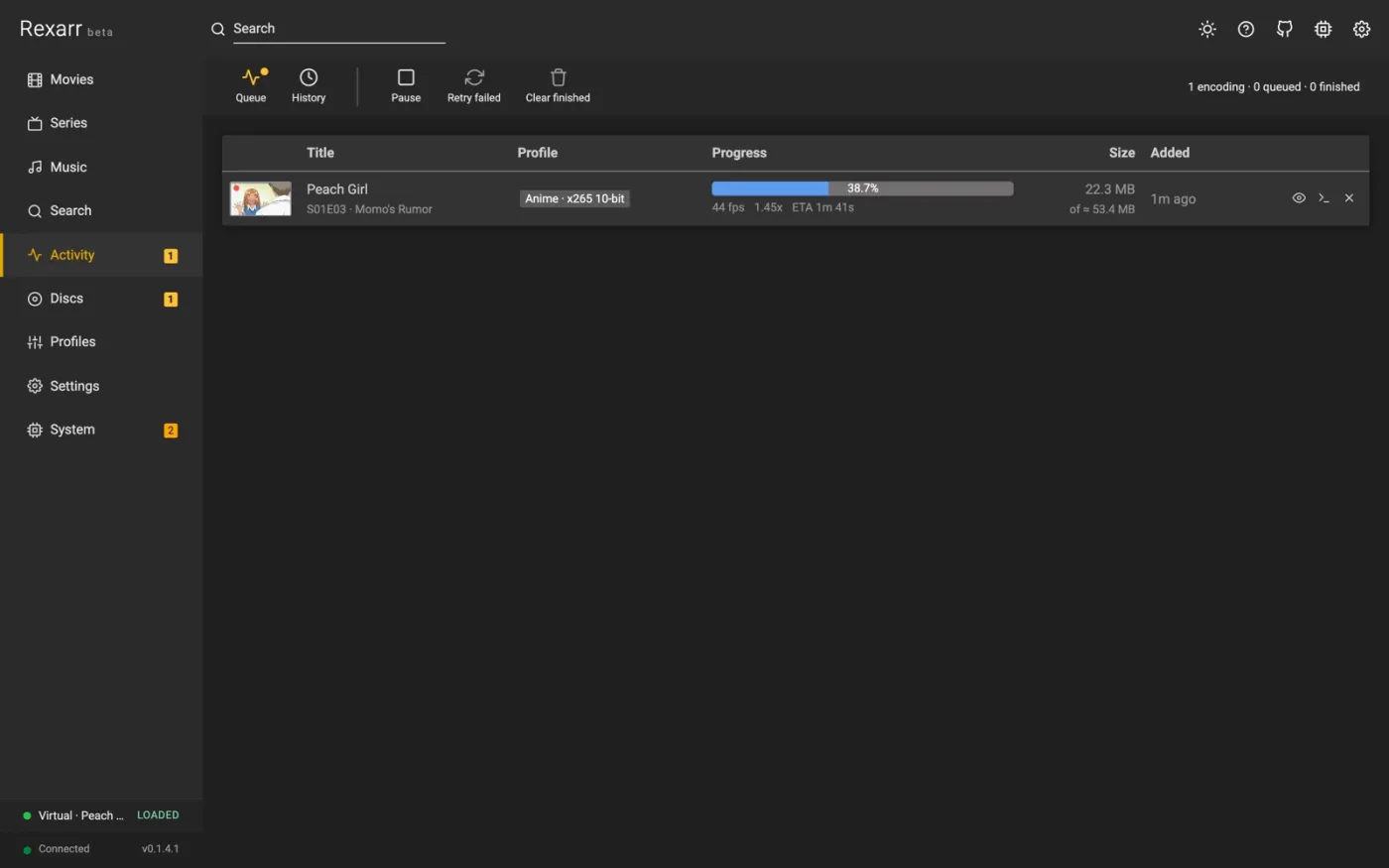
Everything Rexarr is doing, newest first:
- Queue — encodes running and waiting. Encodes at a time can be changed right here, the queue can be paused and resumed, and waiting jobs can be reordered.
- Job states — Waiting for import (the *arr app is still downloading / importing), Downloading full disc with the download's own percentage, Ripping, Encoding with percent, fps, speed and ETA, then Done or Failed.
- Labels — Auto for jobs created by auto transcode, Disc for jobs from a rip.
- Log — the full ffmpeg command and output per job, kept after the job ends.
- Preview — a live frame while encoding and a before / after comparison when it is done. See Encode preview.
- Retry a failed job (or Retry failed for all of them), cancel a running one, clear finished ones.
Job history, events and the rest of the server's own activity live under System — see System and maintenance.